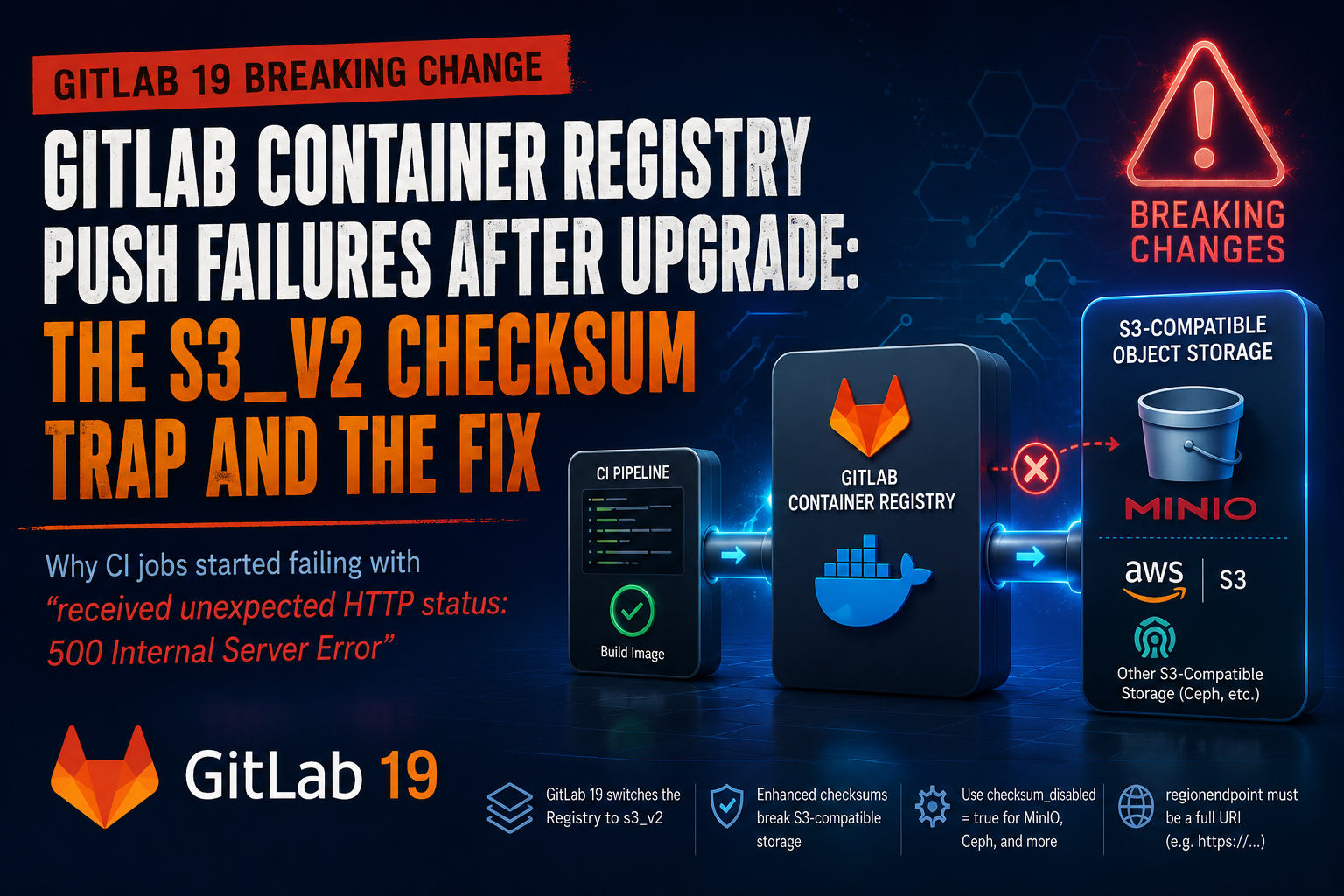
GitLab 19 Broke My Container Registry Pushes to MinIO
Published June 25, 2026, 2:05 p.m. by dwest
After upgrading one of my self-managed GitLab instances to GitLab 19, a bunch of CI jobs suddenly started failing while pushing images to the GitLab Container Registry. The failure itself was not especially helpful:
received unexpected HTTP status: 500 Internal Server Error
That was it. No obvious authentication problem, no TLS issue, no “bucket not found” error, just a generic HTTP 500 during the image push phase.
In my case, GitLab’s Container Registry is backed by MinIO using the S3 storage driver, so the initial suspicion was that the upgrade had changed something in the registry-to-object-storage path. As it turns out, that is exactly what happened.
The Symptom
The breakage showed up in CI first. Jobs that had previously been able to build and push container images started failing during the docker push step with:
received unexpected HTTP status: 500 Internal Server Error
At a glance, that is not very actionable. A 500 from the registry could mean a lot of things: bad auth flow, broken registry config, storage backend problems, metadata database issues, or a regression introduced by the upgrade.
The key was to stop looking at the CI job output and go directly to the GitLab registry logs.
The Important Log Entry
Once I checked /var/log/gitlab/registry/current, the real error became much more obvious:
s3_v2: multipart upload 1 failed: operation error S3: UploadPartCopy, https response error StatusCode: 400 ... api error InvalidArgument: Invalid arguments provided for gitlab-ext-registry/...: (checksum missing, want "CRC64NVME", got "")
That one line tells the whole story.
A few important details stand out:
- GitLab Registry is using
s3_v2 - the failure happens during multipart upload / multipart copy
-
the S3-compatible backend is rejecting the request because it expected a checksum:
-
checksum missing, want "CRC64NVME", got ""
So while CI only showed a generic HTTP 500, the actual problem was that the registry could no longer successfully write image data to object storage.
What Changed in GitLab 19
GitLab 19 made an important change to the container registry storage driver: the old S3 driver using the AWS SDK v1 was removed, and the legacy s3 driver became an alias for the newer s3_v2 driver based on AWS SDK v2.
That matters because GitLab 19’s s3_v2 driver changes behavior in ways that affect S3-compatible backends such as MinIO, Ceph RGW, and similar object stores.
GitLab’s own upgrade notes call out two particularly important changes:
regionendpointmust now be a full URI, includinghttps://- AWS SDK v2 sends enhanced checksums by default, which some S3-compatible backends may reject unless checksum handling is disabled
That second point is the one that bit me.
Why MinIO Was Suddenly a Problem
Before the upgrade, the registry had been working fine against MinIO. Nothing about the bucket itself changed. The breakage only appeared after GitLab 19 switched the registry over to the new S3 driver behavior.
The registry was now attempting S3 multipart operations with checksum behavior that MinIO did not like. In the logs, MinIO was effectively saying:
I expected a CRC64NVME checksum for this multipart copy operation, but I did not get one.
The result was a failed UploadPartCopy, which then bubbled back up to Docker as a 500 error from the registry.
This is the kind of issue that is frustrating because the CI failure message is generic, but the real root cause is a storage driver compatibility change introduced by the upgrade.
The Fix
The solution was to explicitly disable the new checksum behavior for the registry’s S3 backend.
In /etc/gitlab/gitlab.rb, the registry storage configuration needed to include:
registry['storage'] = {
  's3_v2' => {
    'accesskey'         => 'REDACTED',
    'secretkey'         => 'REDACTED',
    'bucket'            => 'gitlab-ext-registry',
    'region'            => 'us-east-1',
    'regionendpoint'    => 'https://minio.example.com',
    'pathstyle'         => true,
    'checksum_disabled' => true
  }
}
Then reconfigure GitLab and restart the registry:
sudo gitlab-ctl reconfigure
sudo gitlab-ctl restart registry
After setting checksum_disabled => true, my test push worked immediately and the CI pipeline was able to push images to the registry again.
A Few Details Worth Calling Out
There are a few pieces of the GitLab 19 change that are easy to miss if you have been running the same registry configuration for a long time.
1) s3 is no longer really the old s3
GitLab 19 removed the legacy S3 driver and aliases it to s3_v2. In other words, even if your configuration still says s3, you are effectively on the new AWS SDK v2 path after the upgrade.
That is a pretty important distinction if your registry is backed by MinIO or another S3-compatible object store rather than native AWS S3.
2) regionendpoint now needs a full URI
If your old config used a bare hostname such as:
'regionendpoint' => 'minio.example.com'
that is no longer sufficient. GitLab 19 expects a full URI:
'regionendpoint' => 'https://minio.example.com'
If that value is wrong, the registry may fail to start or fail to talk to the object store correctly.
3) pathstyle => true is still a good idea for MinIO
For MinIO and many other S3-compatible backends, path-style addressing is typically the safer choice:
'pathstyle' => true
That was not the root cause of my issue, but if you are already touching the config, it is worth confirming.
Is checksum_disabled Just a Bandaid?
Maybe, but I do not think it is fair to dismiss it as a hack.
GitLab’s own documentation explicitly calls out checksum_disabled => true as the workaround for S3-compatible object stores that reject the new AWS SDK v2 checksum behavior. In other words, this is not some obscure forum tweak; it is an expected compatibility setting for certain backends after the move to s3_v2.
That said, there are two separate questions here:
-
How do you get GitLab working again right now? Set
checksum_disabled => true. -
Should you also upgrade MinIO and test without it later? Probably yes, if you want to see whether a newer MinIO build handles the new checksum behavior cleanly.
For me, the immediate priority was restoring registry pushes. Once that was done, the MinIO side became a “clean this up later” task rather than an outage.
How I Would Troubleshoot This Quickly Next Time
If I ran into this again on another GitLab 19 upgrade, my checklist would look like this:
- Confirm the failure is happening during image push
- CI job fails on
docker push - error shown is only
500 Internal Server Error
- Check the registry logs, not just the GitLab Rails logs
- look at
/var/log/gitlab/registry/current
- Search for
s3_v2,UploadPartCopy, or checksum-related errors
- especially
CRC64NVME - or
XAmzContentSHA256Mismatch
- Verify the registry storage config
regionendpointincludeshttps://pathstyle => truefor MinIO/S3-compatible backendschecksum_disabled => true
- Reconfigure and retest a push
sudo gitlab-ctl reconfiguresudo gitlab-ctl restart registry
That would probably cut this from a “why are all my CI jobs broken?” problem to a 10-minute fix.
Final Thoughts
This one is a good reminder that major GitLab upgrades are not just about Rails features, UI changes, or PostgreSQL versions. Sometimes the real breaking change is buried in a storage driver that has quietly worked for years and only becomes visible when your CI pipelines start failing.
In my case, the clue was hidden behind a very generic registry 500 error, but the actual issue was a GitLab 19 change to the container registry’s S3 backend. The move to s3_v2 introduced checksum behavior that my MinIO-backed registry did not like, and the fix was to explicitly disable those checksums for the registry storage driver.
So if you upgrade to GitLab 19 and suddenly see CI jobs fail with:
received unexpected HTTP status: 500 Internal Server Error
during a registry push, and your registry uses MinIO or another S3-compatible backend, check the registry logs for checksum-related s3_v2 errors before you start chasing authentication or runner problems. There is a decent chance the registry is telling you exactly what broke.
Sources
-
GitLab: A guide to the breaking changes in GitLab 19.0 https://about.gitlab.com/blog/a-guide-to-the-breaking-changes-in-gitlab-19-0/
-
GitLab 19 upgrade notes https://docs.gitlab.com/update/versions/gitlab_19_changes/
-
GitLab work item: Deprecate S3v1 Storage Driver for Container Registry https://gitlab.com/gitlab-org/gitlab/-/work_items/523095
Similar posts
There are no similar posts yet.0 comments
There are no comments.